


Sago Mini School Toddler Games
3.5642.00 Reviews
App Specs
- Version
- 6.0.0
- Updated On
- License
- Free
- Downloads
- 5,000,000+
- Developer
- Play Piknik
- Categories
- Educational
- Platform
- Android, iOS
Screenshots
 Analysis by AppCompare
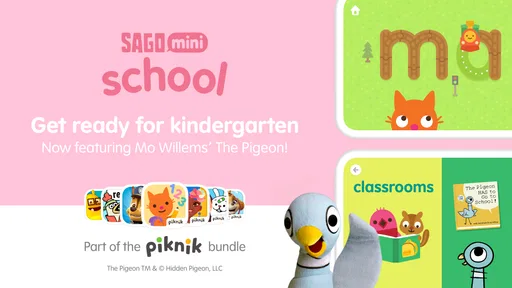
If you’re on the hunt for an app that combines fun and learning for your little ones, look no further than Sago Mini School. Aimed at kids aged 2-5, this app offers a delightful mix of educational activities and playful adventures. Let me walk you through my experience with this colorful and engaging app.
How It Fits into a Real Day
I find this kind of game most useful in short, shared moments rather than as a substitute for a whole preschool routine. A parent could open it while waiting for an appointment, or sit with a child after breakfast and let them choose an activity before moving on to drawing or play away from the screen. The advantage is that its playful tasks give a young child something concrete to do; the trade-off is that a device still holds their attention, so I’d treat it as one small part of the day, not the default answer to every quiet moment.
For a two-year-old, I’d expect an adult to stay nearby and help with the first interactions. Older preschoolers may be more willing to explore independently, but a child’s ability to navigate depends on their own familiarity with touchscreens and the particular activity they choose. A useful approach is to let the child lead while you ask simple questions—“What do you think goes here?” or “Which one would you like to try?”—instead of turning each activity into a test. That keeps the play relaxed and gives you a better sense of what is holding their interest.
What is Sago Mini School?
Sago Mini School is an educational app designed to make learning as enjoyable as possible for toddlers and preschoolers. It’s part of the beloved Sago Mini series, which is known for its high-quality, child-friendly games. The app comes packed with activities that develop critical thinking, creativity, and problem-solving skills in a way that feels more like play than traditional learning.
First Impressions
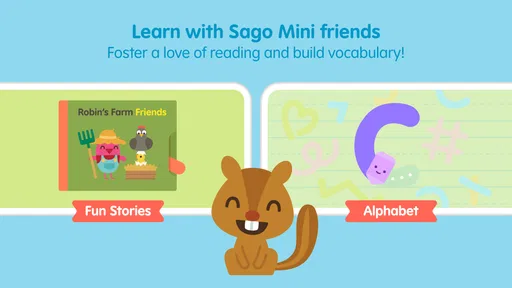
From the moment I opened the app, I was greeted with vibrant colors and friendly characters that immediately captured my attention—and I’m not even the target audience! The intuitive interface makes it easy for kids to navigate, and the gentle background music sets a relaxed atmosphere. It’s clear that the developers have put a lot of thought into creating an environment that is both stimulating and soothing.
Why the World Feels Cohesive
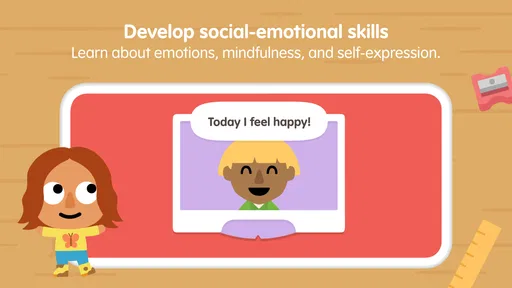
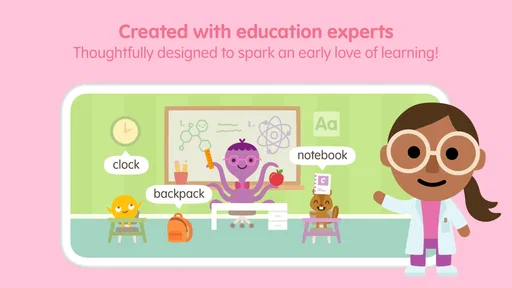
The art direction matters here because it gives the activities a shared, inviting tone instead of making the app feel like a stack of unrelated lessons. Colorful scenes and friendly characters make abstract early-learning tasks feel more approachable. For a young child who is hesitant about getting something wrong, that softer presentation can lower the pressure: exploring becomes the point, rather than racing to finish a worksheet.
The setting also helps parents choose how to introduce the game. If a child is drawn to a particular theme, that can be an easy starting point for a short play session. I’d use that interest as a bridge to conversation away from the screen: point out a color or shape in the activity, then notice the same thing in a picture book or around the room. This is not a claim that the app teaches a skill automatically; it’s a practical way to make its playful prompts part of a wider routine.
Worth Reading Before You Choose

EA SPORTS FC Mobile 26 Is a Bigger Football Game, but It Takes Time

Flipboard Shows What News Apps Must Do Beyond the Feed

Switching to Android Auto Means Rethinking Your Driving Routine

Google Calendar Makes a Crowded Week Easier to Manage

Ludo King Makes the Most of the Minutes Between Plans

Baby Panda World Brings Quick Play to Modern Phones, but Its Game Library Feels Busy
Exploring the Features
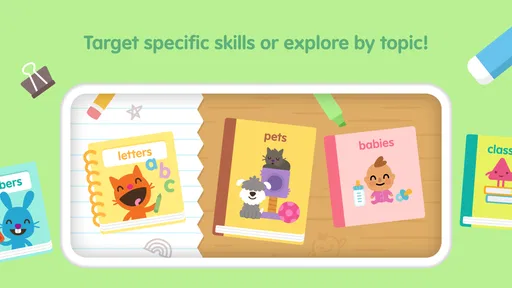
Let’s dive into the nitty-gritty of what Sago Mini School offers. The app is structured around a series of themed packs, each containing a variety of activities such as puzzles, drawing, and matching games. The themes range from space adventures to under-the-sea explorations, ensuring there’s something to pique every child’s interest.
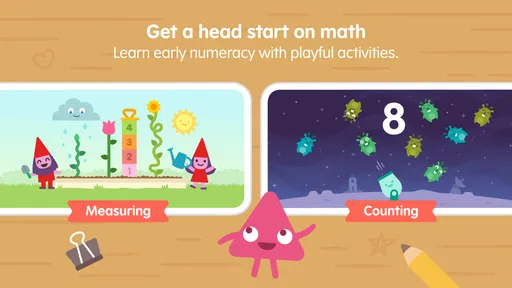
- Learning Packs: Each pack is thoughtfully designed to introduce kids to basic concepts like numbers, shapes, and colors. These aren’t your run-of-the-mill lessons; they’re interactive and encourage kids to actively participate.
- Creative Play: The app includes a drawing feature that allows kids to unleash their creativity. Whether they’re doodling their favorite character or creating a masterpiece, this feature is sure to keep them entertained.
- Problem-Solving Games: Activities such as pattern recognition and shape sorting help develop critical thinking skills in a subtle, enjoyable manner.
Sound, Pace, and the Parent’s Role
The gentle musical backdrop suits the colorful world: it supports a calm mood rather than making play feel like a loud arcade challenge. That matters for a game meant for very young children, who can be easily pulled away from an activity by busy effects or a demanding pace. I would still keep the device’s volume at a comfortable level and pay attention to the child’s response; a soothing soundtrack for one family may be distracting in a quiet room or during a wind-down routine.
There is also a useful difference between letting a child tap through alone and playing alongside them. Independent exploration can be satisfying once they understand the touch controls, while a parent nearby can turn a quick matching activity into a conversation about choices and patterns. I wouldn’t expect every child to stay with one task for long, and I wouldn’t push them to complete an activity if they lose interest. Short sessions make more sense for this age group than treating the app like a lesson that must be finished.
Choosing It Over Other Preschool Apps
Compared with a conventional alphabet or number drill, this game appears better suited to children who learn through varied, hands-on play and enjoy character-led settings. Its mix of puzzles, drawing, and matching gives a parent more than one kind of interaction to offer, without making the experience feel like a formal classroom exercise. If your priority is a focused phonics sequence, a structured curriculum, or practice that follows a specific school method, a dedicated learning app or an adult-led activity may be a better fit.
It also differs from handing over a general video app: the activities invite children to interact rather than simply watch. That does not make screen time automatically educational or replace conversation, books, toys, or outdoor play. I’d choose Sago Mini School when I want a gentle, child-oriented activity that offers room to explore, and choose something else when I need a narrowly targeted lesson or a completely screen-free break.
Why Kids (and Parents) Love It
So, what makes Sago Mini School a hit among both kids and their parents? For starters, the app strikes a perfect balance between education and entertainment. Kids love the adorable characters and engaging animations, while parents appreciate the educational value and the peace of mind that comes with knowing their kids are in a safe digital environment.
"It's like having a preschool in your pocket," one parent mentioned, and I couldn’t agree more.
Who It Suits—and Where It May Frustrate
This is most appealing for families with toddlers or preschoolers who enjoy colorful characters, simple interactive tasks, and the freedom to move between different kinds of play. It may also suit a caregiver looking for a low-pressure activity to share with a child, especially when the child likes to choose what to explore. The game’s age focus is clear: it is an Everyone-rated educational title for young children, rather than a resource aimed at older students or adults.
I would skip it if you are looking for a comprehensive teaching plan, a quiet activity with no screen, or a game built around advanced challenges. A child who prefers open-ended physical toys might not stay engaged with a touchscreen, while a child who wants one specific skill taught step by step could benefit more from a focused alternative. The best test is not whether a child taps through quickly, but whether they remain curious and comfortable during a brief session.
Subscription and Availability
The app is available on both Android and iOS platforms, and while it offers some content for free, a subscription unlocks the full range of activities. Given the quality and quantity of content, the subscription fee feels reasonable, especially considering the app is ad-free.
For anyone weighing the cost, it helps to distinguish between trying the game and relying on it as a regular activity. The game is free to download, and in-app purchases are listed from $7.99 to $99.99 per item, so I would check the available purchase options before handing the device to a child. The app has a 3.9 average from around 7.8 thousand ratings, alongside 608 written reviews, and has been installed over a million times. Those figures offer a broad snapshot of how it has been received, but they cannot tell you whether its tone and activities suit your particular child.
On Android, the listed minimum operating-system requirement is version 7.0, and the current version is 5.3. Play Piknik is the developer, and the game was released on February 10, 2021. Those details are useful when checking whether an older device can run it, while the free starting point lets a family judge the basic experience before deciding whether paid content is worthwhile.
Final Thoughts
In conclusion, Sago Mini School is a fantastic app for young children. It's engaging, educational, and above all, fun. Whether your child is a budding artist or an inquisitive explorer, there’s something here to kindle their curiosity. If you’re a parent looking to supplement your child’s early education with a digital twist, this app is a must-try. So, why not give it a whirl and see your child’s learning journey come to life?
My recommendation is more measured: I’d try it with a child who enjoys playful digital exploration, stay close at first, and see whether the activities invite conversation and repeat interest. The strongest reason to choose it is its coherent, gentle presentation paired with varied early-learning play. Its limits are just as important: it is still screen-based, it is not a substitute for a structured teaching program, and paid content needs a parent’s attention. For the right preschooler, that balance can make it a pleasant option to keep in rotation rather than a replacement for the many ways children learn through everyday life.
Pros
- Engaging educational content for young minds.
- Colorful
- child-friendly design attracts kids.
- No ads
- ensuring a safe experience.
- Regular updates with new activities.
- Supports offline play for convenience.
Cons
- Limited content without subscription.
- Requires internet for content updates.
- May not challenge older kids enough.
- Subscription can be pricey.
- Some activities repeat frequently.
FAQs for Sago Mini School Toddler Games
What is Sago Mini School and who is it designed for?
Sago Mini School is an educational app designed specifically for young children aged 2-5. It offers a playful learning environment with a variety of activities, games, and lessons aimed at developing cognitive and creative skills. This app is perfect for parents seeking a fun, interactive way to support their child's early education.
Is Sago Mini School safe for my child to use?
Yes, Sago Mini School is designed with child safety in mind. The app is ad-free and doesn't include any in-app purchases, ensuring a safe and uninterrupted experience for your child. Additionally, all content is age-appropriate and developed by experts in early childhood education.
What kind of educational content does Sago Mini School offer?
Sago Mini School provides a wide range of educational activities and lessons that cover various subjects such as math, science, literacy, and the arts. The content is presented in a playful and engaging manner, utilizing colorful animations and interactive elements to capture the child’s interest and promote active learning.
Can Sago Mini School be used without an internet connection?
Yes, Sago Mini School can be used offline once the content is downloaded. This feature allows children to enjoy learning anytime and anywhere, making it convenient for parents who want to provide educational activities during travel or in areas with limited internet access.
How can I monitor my child's progress in Sago Mini School?
Sago Mini School includes a feature that allows parents to track their child’s progress. Through a dedicated dashboard, parents can view which activities their child has completed, how they are performing, and areas where they might need more practice. This helps in understanding your child’s learning journey and supporting their development effectively.


